Interactive Brokers' stock screener beats Schwab's for active traders who need deep customization, real-time data, and international coverage. Schwab’s screener takes the lead for beginners and long-term investors who want simplicity, zero added cost, and dividend-focused filters with analyst ratings baked in.
Choose IBKR if you run custom technical screens, trade across 150+ global markets, or need streaming real-time data inside your screener. Choose Schwab if you want a clean interface, pre-built fundamental filters, and free access without learning curve friction. IBKR’s edge shows up in complexity and control; Schwab’s wins on accessibility and cost transparency.
IBKR provides 40+ pre-built screens and unlimited custom filters covering fundamentals, technicals, and options chains. Schwab offers 100+ criteria including earnings, dividends, and Schwab Equity Ratings. Both screen ETFs and mutual funds, but IBKR includes international equities that Schwab does not. Real-time streaming data is available in IBKR’s Trader Workstation; Schwab’s screener runs on delayed data unless you upgrade to a paid platform.
The hidden trade-off: IBKR’s power comes with interface complexity that can overwhelm new users. Schwab’s simplicity caps advanced screening depth and lacks international market access. If you need granular control, IBKR is worth the learning curve. If you want quick answers without setup time, Schwab is the better fit.
Quick comparison table
| Dimension | IBKR Stock Screener | Schwab Stock Screener |
|---|---|---|
| Pre-built screens | 40+ | 10+ |
| Custom filters | Unlimited (fundamentals, technicals, options) | 100+ criteria (earnings, dividends, analyst ratings) |
| Real-time data | Yes (Trader Workstation desktop & mobile) | Delayed unless using Thinkorswim |
| International stocks | 150+ markets | US-listed only |
| Cost | Free with account; advanced tools may require minimums | Free with account; no minimums |
| Mobile functionality | Full screener on IBKR Mobile app | Schwab Mobile app includes screener with basic filters |
| Export options | Export to Excel, CSV, API access | Export limited; no API |
| Account minimums | No minimum to open; certain data feeds may require balances | No minimum for screener access |
| Learning curve | Steep (complex UI, multiple data layers) | Gentle (clean UI, guided filters) |
Where IBKR wins — deep customization and real-time control
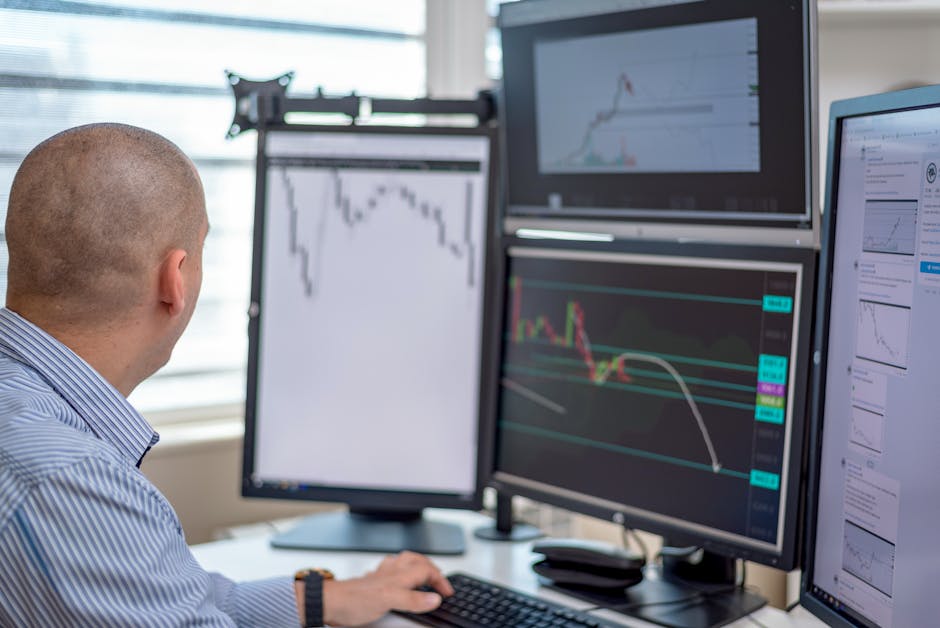
 IBKR's screener combines layered technical, fundamental, and options filters with real-time streaming data across global markets and full mobile functionality. — Photo by Yan Krukau on Pexels
IBKR’s screener is built for traders who think in filters. You can layer technical indicators (RSI, MACD, SMA crossovers) on top of fundamental screens (P/E, ROE, debt/equity) and options data (implied volatility, delta). The result is a precision tool that surfaces trade ideas matching your exact strategy.
For example, you can build a screen that filters for US mid-cap stocks with P/E < 15, ROE > 15%, debt/equity < 0.5, and RSI < 30. IBKR returns the list in seconds with streaming updates. Schwab’s equivalent screen would require multiple steps and would not include real-time RSI or options data.
IBKR also includes 150+ markets globally. If you’re screening for Canadian resource stocks or European pharma, IBKR is the only choice between the two. Schwab limits you to US-listed securities.
Mobile functionality is another IBKR win. The IBKR Mobile app includes the full screener with streaming data. You can build and edit screens on your phone without losing functionality. Schwab’s mobile app offers a screener, but it’s stripped-down: fewer filters, no streaming, and delayed quotes.
Export flexibility matters for traders who want to run secondary analysis. IBKR lets you export screen results to Excel or CSV, and offers API access for automated screening. Schwab’s export is limited, and there’s no API.
The trade-off: IBKR’s interface is dense. You’ll navigate multiple tabs, data windows, and settings layers. It’s powerful but not intuitive. If you don’t already know what you’re looking for, you’ll spend time learning the platform instead of screening stocks.
Where Schwab wins — simplicity and zero-cost access
 Schwab's free stock screener offers long-term investors a clean interface with no minimums or data feed fees. — Photo by AlphaTradeZone on Pexels
Schwab’s stock screener is designed for investors, not traders. The 100+ criteria cover the fundamentals that matter to long-term holders: earnings growth, dividend yield, payout ratio, analyst ratings, and valuation multiples. The interface is clean, and you can start screening immediately without configuring settings.
Schwab Equity Ratings are a unique feature. Each stock gets a letter grade (A–F) based on Schwab’s proprietary model. It’s a quick filter for quality and valuation. IBKR has no built-in rating system; you must build your own quality screens.
The screener is free with any Schwab brokerage account, and there are no minimums or data feed fees. IBKR’s most advanced data (real-time options, Level 2 quotes) may require minimum balances or subscription fees. For casual investors, Schwab’s cost transparency is a real advantage.
Schwab also excels at dividend screening. You can filter by dividend yield, payout ratio, dividend growth streak, and ex-dividend date. IBKR supports dividend filters, but Schwab’s implementation is more intuitive and includes pre-built dividend screens.
The mobile app is user-friendly. You can run a dividend screen, sort by yield, and see analyst ratings in a clean layout. It’s not as deep as IBKR, but it’s fast and reliable.
The trade-off: Schwab’s screener lacks technical indicators and options data. You can’t screen for RSI, MACD, or implied volatility. International coverage is absent. If you need precision or global access, Schwab will feel restrictive.
The hidden trade-off nobody mentions
 The section key argument clarifies the next practical decision. — Both screeners hide data freshness gaps and other practical limitations that rarely surface in standard comparisons. — Wikipedia contributors, via Wikimedia Commons
Both screeners have a data freshness gap that most comparisons ignore. IBKR’s real-time streaming is only available inside Trader Workstation. If you’re using IBKR’s web platform or mobile app, you may see delayed data unless you subscribe to real-time market data packages. Schwab’s web and mobile screeners also run on delayed data by default; real-time quotes require a funded account or a platform upgrade.
Another hidden cost: IBKR’s interface complexity can lead to false positives. If you misconfigure a filter (e.g., forgetting to set a market cap floor), you’ll get hundreds of results that don’t match your thesis. Schwab’s pre-built screens reduce this risk but also limit your ability to surface unconventional ideas.
Finally, Schwab’s screener is not integrated with third-party tools. You can’t export a list to Excel, clean it, and run it through a custom model without manual copying. IBKR’s API allows for automated workflows, but it requires coding knowledge.
Choose IBKR if. / Choose Schwab if.
Choose IBKR if:
- You need technical indicators (RSI, MACD, moving averages) in your screens.
- You trade international equities across 150+ markets.
- You want real-time streaming data inside your screener.
- You export results to Excel or use API for automation.
- You’re comfortable with a complex interface and have screenwriting experience.
Choose Schwab if:
- You want a simple, intuitive screener with zero learning curve.
- You rely on dividend metrics and analyst ratings for stock selection.
- You only need US-listed stocks.
- You want free access with no hidden data feed fees.
- You’re a beginner or long-term investor who values speed over depth.
FAQ
Which stock screener is better for beginners: IBKR or Schwab?
Schwab is better for beginners. The interface is cleaner, the filters are pre-built, and there’s no complex setup. IBKR’s depth is overkill if you just need basic fundamental screening.
Does IBKR stock screener require a paid subscription?
No, the basic screener is free with an IBKR account. However, real-time data feeds and advanced tools may require minimum balances or subscription fees. Delayed data is included at no extra cost.
Can I use Schwab stock screener without a brokerage account?
No, you need a Schwab brokerage account to access the screener. There are no account minimums, and the screener itself is free once you have an account.
How customizable are the filters in IBKR vs Schwab screeners?
IBKR offers unlimited custom filters across fundamentals, technicals, and options. Schwab provides 100+ criteria focused on fundamentals, dividends, and analyst ratings, but lacks technical and options filters.
Does IBKR or Schwab offer better real-time data in their screeners?
IBKR offers true real-time streaming data inside Trader Workstation. Schwab’s screener provides delayed data by default; real-time quotes require a funded account or platform upgrade.
What are the limitations of Schwab’s stock screener compared to IBKR?
Schwab lacks technical indicators, options data, international stocks, and export/API capabilities. It’s a fundamental screener for US stocks only. IBKR includes global coverage and advanced screening tools.
What is the 25k rule for IBKR?
The $25,000 pattern day trader rule applies to US equities under FINRA. IBKR enforces this rule: if you make more than 3 day trades in 5 business days, you must maintain at least $25,000 in account equity. This does not affect the screener directly but impacts trading activity if you’re using IBKR for active strategies.